
Bookings
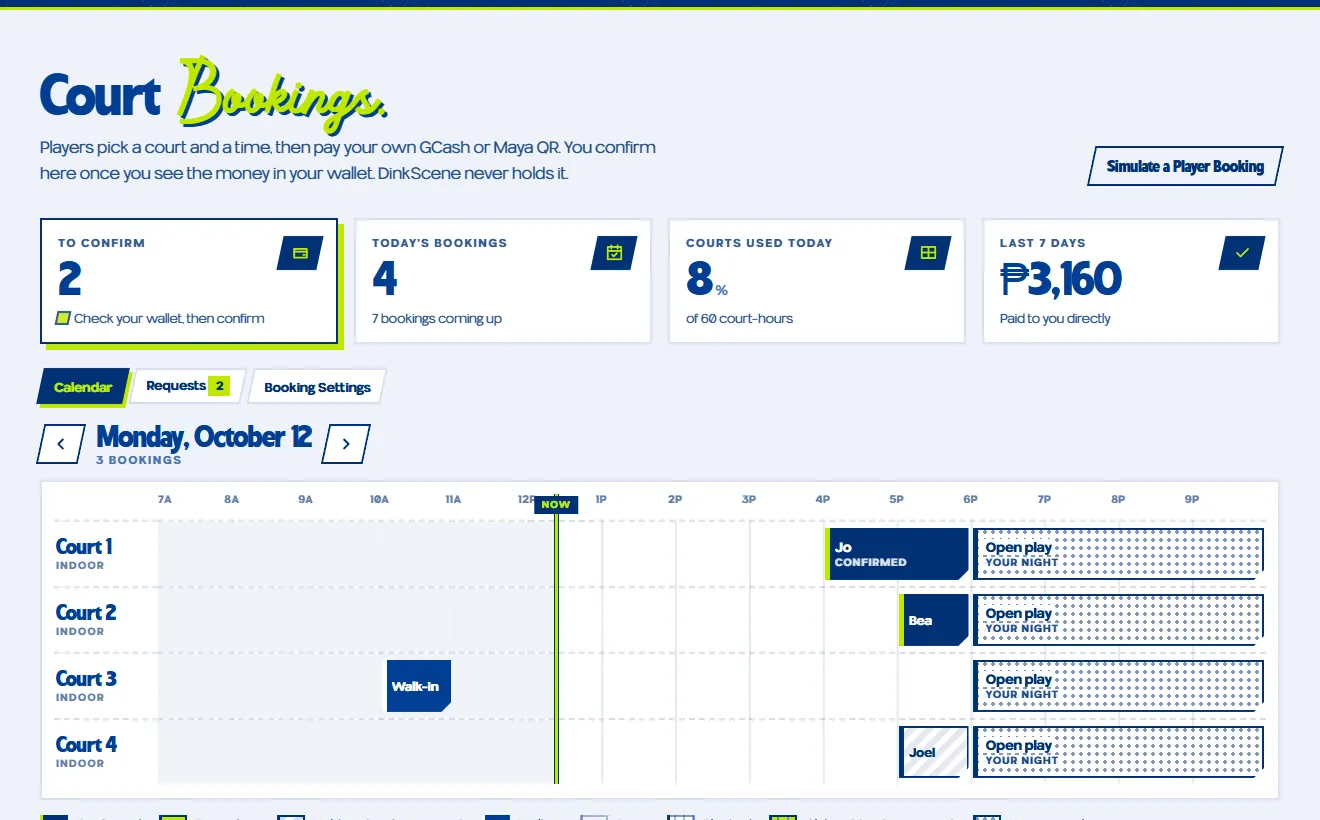
Court Bookings
On a paid plan, players pick a court and a time, then pay your own GCash or Maya QR. You confirm here once you see the money in your wallet. DinkScene never holds it.
Open BookingsFor court owners
The Court Dashboard keeps your bookings, open play nights and court page in one place. On a paid plan, players pick a court and a time and pay you directly by GCash or Maya, and you confirm when the money lands.
Already on DinkScene? Claim your listing
What it does
Everything a venue runs on, in the tabs of one dashboard.
On a paid plan, players pick a court and a time, then pay your own GCash or Maya QR. You confirm here once you see the money in your wallet. DinkScene never holds it.
Open Bookings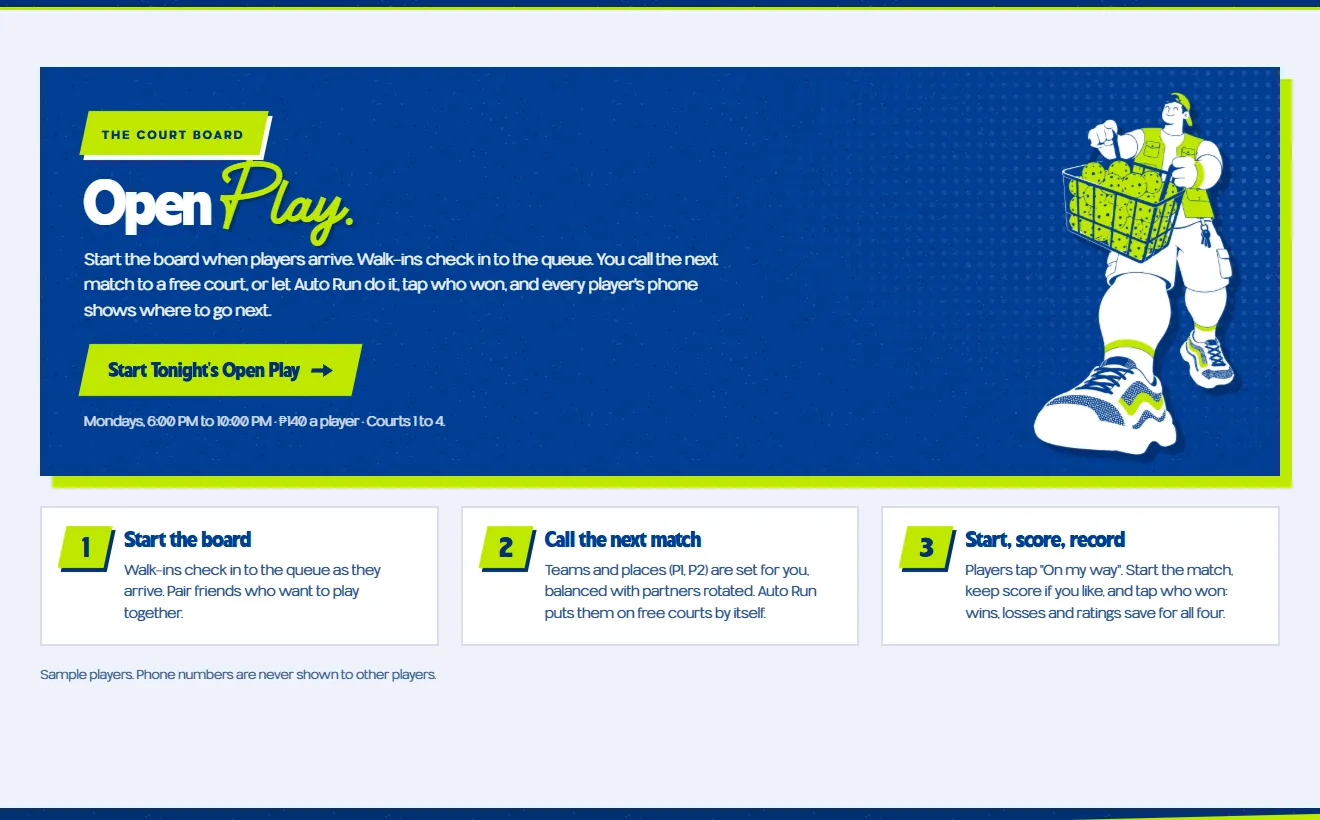
Start the board when players arrive. Walk-ins check in to the queue; call the next match to a free court or let Auto Run do it, and every player's phone shows where to go next.
Open Open Play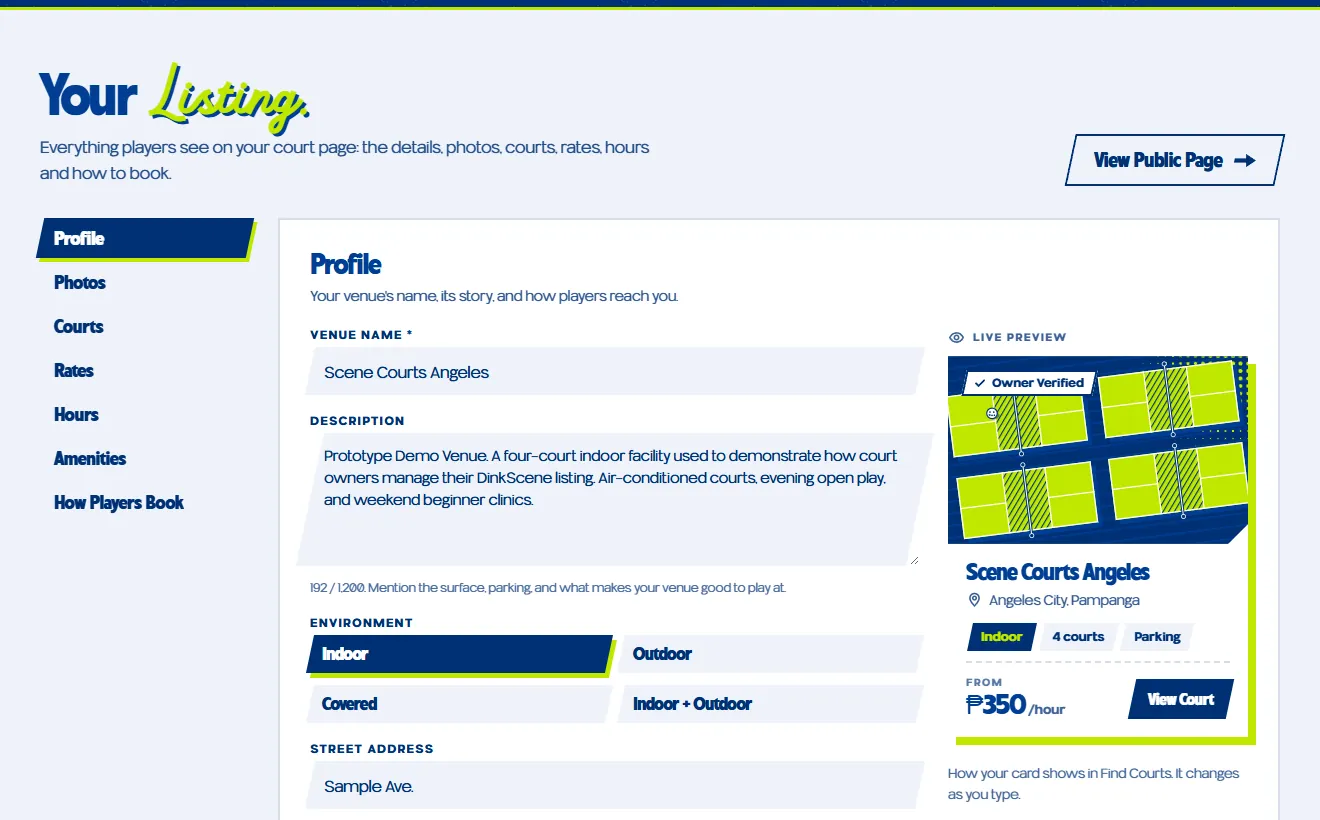
Everything players see on your court page: the details, photos, courts, rates, hours and how to book. Changes go live as you save.
Open Your Listing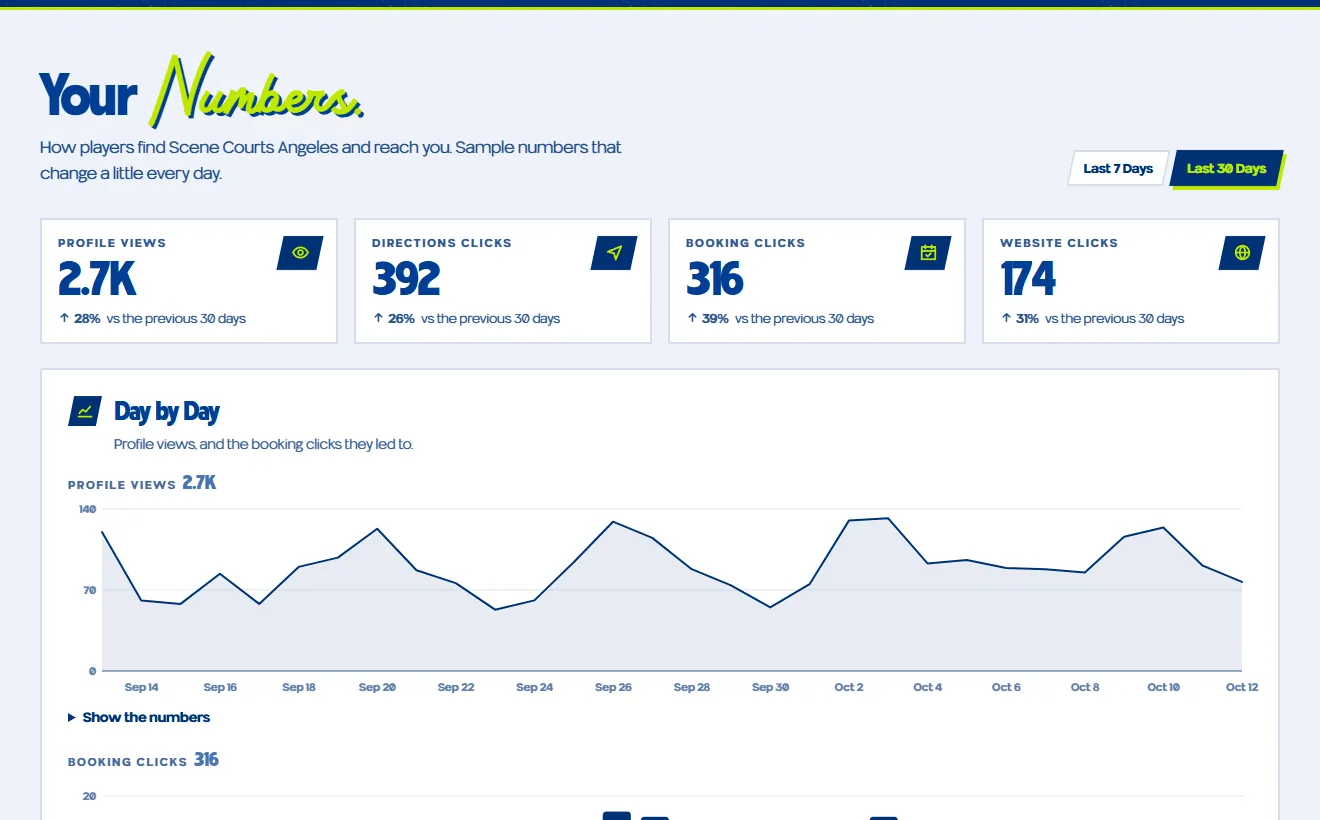
How players find you and reach you: profile views, directions clicks, booking clicks and website clicks, by the day.
Open Your NumbersHow it works
Send in your venue for free, or claim the listing that's already on DinkScene.
Add your courts, hours, rates and photos, and how players book and pay you.
Confirm bookings as the money lands on a paid plan, and start the court board on open play nights.
Type at least two letters, for example “Angeles” or “Scene Courts”.
Players pay you by GCash or Maya. DinkScene never holds a booking's money.
Listing a court costs nothing. Our team checks every submission before it goes live.
Claim your court and, once we've checked it's yours, your page shows the Owner Verified tag.